Staff support
Replacing an Ambient Hub
If a hub is experiencing issues, utilize Ambient Support’s website for general troubleshooting information and work with support before replacing a hub.
If a hub needs to be replaced, or you are replacing a missing hub, please follow the steps below:
-
Navigate to the community from the Ambient Installer landing page.
-
Navigate to the unit number where the hub needs to be replaced.
-
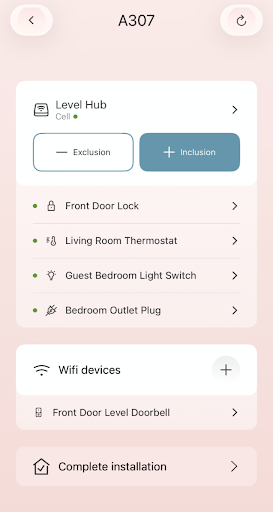
Review the devices and locations currently connected to the unit.
-
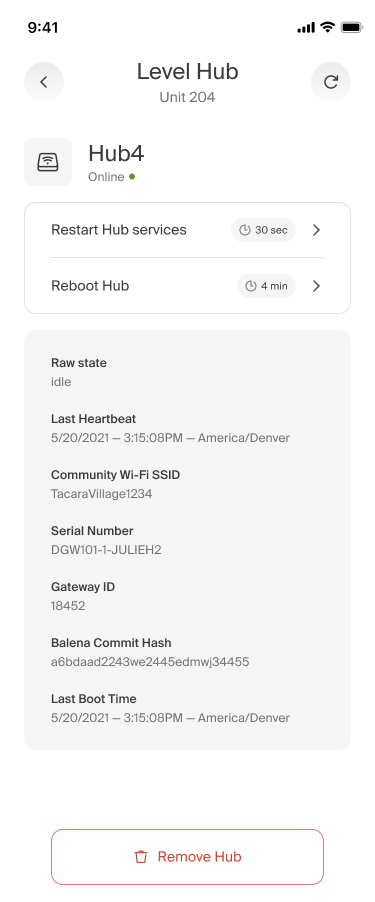
Tap the disclosure arrow on the hub tile to open the Hub Landing Page.
-
Select “Remove Hub” at the bottom of the Hub screen.
-
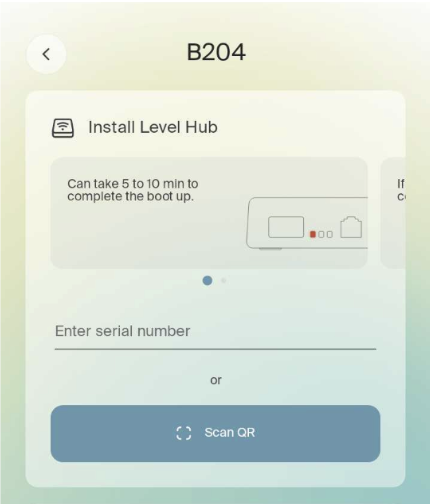
You will be redirected back to the Unit Landing Page to associate a new hub to the unit.
-
Once the new hub has been associated with the unit, pair all of the applicable devices to the new hub.